Showing posts with label windows 8. Show all posts

Wednesday, 26 September 2012

CNET News Microsoft Intel CEO slams Windows 8, says it's not ready -- report

Paul Otellini told employees during a meeting in Taiwan that Microsoft needs to make improvements to the OS, according to a Bloomberg report, though he adds they can be done after the product ships.


Intel CEO Paul Otellini shows off Intel-powered tablets
(Credit: Stephen Shankland/CNET)
Intel Chief Executive Paul Otellini slammed Windows 8 during a meeting with employees in Taiwan, according to a Bloomberg report, saying the operating system still has bugs and is being released before it's ready.
Otellini said Windows still needs some improvements, according to Bloomberg. But Otellini also said releasing Windows 8 before it's completely ready is the correct decision to help Microsoft and the PC makers compete against Apple during the key holiday season. He added that Microsoft can make changes after Windows 8 ships, the report said.
Microsoft CEO Steve Ballmer talks about Windows at a recent event.
(Credit: Josh Long/CNET)
Microsoft and Intel have been close partners over the years, but their relationship has been strained during Microsoft's development of Windows 8, which will be Microsoft's first version of Windows to run on an ARM Holdings architecture, not just the x86 architecture from Intel and AMD that dominates PCs.
Windows RT, the ARM-based version of the operating system, has faced some setbacks of late, with some companies, such as Toshiba and H-P, scrapping plans for such devices. Windows 8, meanwhile, has largely appeared to be on track. Intel has touted various tablet and notebook design wins with the software, and it plans to host a tablet event Thursday in San Francisco.
An Intel spokesman on Tuesday said in a statement that internal employee meetings are private, and Intel doesn't disclose what may or may not have been said.
"We continue to see Windows 8 as a significant opportunity across the board and are excited at our prospects in new form factors like Ultrabooks, tablets and convertibles," the spokesman said.
Microsoft, which plans to release Windows 8 on Oct. 26, said in a statement that it's looking forward to making the operating system available next month.
"With over 16 million active preview participants, Windows 8 is the most tested, reviewed and ready operating system in Microsoft's history," a spokeswoman said.

Saturday, 8 September 2012

Windows 8 RTM - Review

Windows 8, Metro UI
"Windows 8 RTM is lightening quick at times; and just downright unresponsive and frustrating at others"

First off, let me just say that I have been really looking forward to testing this OS.  Not because it brings waves of enthusiasm and over-riding joy out of every pour in my body at the prospect of using Metro UI, but because the community is split well and truly down the middle on Windows 8.  Well maybe not even the middle, maybe 70-30....and it's not in the positive.

Windows 8 is likely to divide opinion even months after release with those in the 'power user' bracket complaining heavily that production will suffer and that it is a needless and pointless OS designed to bridge the PC and Smartphone market.  Many too will cry with howls of derision at the Duplo bricks feel and design of the OS.  It takes a while to get used to shall we say, both aesthetically and from a navigational perspective.

Windows 8 RTM is lightening quick at times; and just downright unresponsive and frustrating at others.  Installation was a breeze.  I have a primary disk with Windows 7 installed (it would be madness to upgrade and risk losing a stable OS), and I recently emptied my secondary drive of Linux after many disasters with Ubuntu, Xubuntu and Mint.  The installation speed was swift as can be expected and we were right into the lock screen which I got rid of as soon as I had the chance.  Now Windows 8 boots straight to my password screen.  From the password screen we have the Metro UI and the intial response of OMG soon evaporated after a days use.  It's now reasonably friendly and a quick way to reach all your constantly used apps and folders.

Boot times were lightening fast.  Really impressively so.  My Windows 7 running an AMD Athlon X2 takes 1m43s to ignite its first web page from the initial Windows logo appearance.  Windows 8 blows it out of the water taking a mere 50 seconds to boot into Chrome and load up my three default tabs.  Highly impressive.  It may just be me, but the interface and general graphics seem much more modern.  I cannot describe it but it feels swanky.

Now the big bug bear.  The Start Button.  I must confess, although I pin lots of things to the Pin Bar, I really didn't realise how much I use and rely on the Start Button in Windows 7 until it was gone.  You see, in Windows 7 everything is branched out so that anything can be accessible with just a click or two.  The Metro UI and the Windows 8 desktop changes all that.  The Start Button now is effectively the Metro UI screen.  Here you can pin things onto it and re-arrange the blocks as you please.  Default things like pictures, music and videos are all there as well as IE10 and other bits and pieces.

Navigation is now done through the Metro UI, the desktop (which is like Windows 7) and yes, here is the big change, shortcut keys.  If you have absolutely no interest in using shortcut keys or just refuse to use them on the premise that you have to distort your uncoordinated hands all round the keyboard, then Windows 8 will not be for you.  My reliance on Alt+F4 (to close applications), WinKey+Q (to open up search), WinKey+C (to open up 'Charms') and WinKey+Tab (to flick between desktop, Metro and all other apps and open pages) is now legendary at least in my own home.

"The shortcut keys will be a huge divider.  This is where the joining of desktop/laptop PC and Smartphone comes into play, and this is where a lot of the community will just say 'no thanks'!"

And here is the crux of the matter.  Windows 8 is essentially two operating systems stuck together.  For me anyway, you have the Metro UI to carry out your basic functions and provides quick navigation to the internet and the news and then the desktop; without a start button.  The shortcut keys will be a huge divider.  This is where the joining of desktop/laptop PC and Smartphone comes into play, and this is where a lot of the community will just say 'no thanks'!.

Aside from the obvious learning curve of the shortcut keys you have the corners of the screen which act as other means of navigation.  Moving the mouse to the top left of the screen provides you with a quick view of pages and apps that are open.  Moving the mouse to the bottom left reveals Start area or Metro UI.  So....the start button is there in kind, just not as revealing and present!  An issue many will find is moving the mouse not all the way to the bottom left and hitting the wrong app opening it all the time.  This is completely annoying.

One of the first things I did was to try and set up my GMail account with the Mail app present on the Metro screen.  Rather surprisingly, it worked.  Even more surprising was the People section which synced my contacts from GMail.  This was most encouraging.  Encouraging too that I could edit my notes section which I apply to client contacts through the People section in Metro.  I could just use GMail for everything in a Chrome tab, but the feel and satisfaction of the layout of the Mail and People app is rather nice.  Although I'm still undecided with regards to Mail as to whether I like or dislike my new mail being shown in bold at the top of the screen or whether the current way of manually moving up from the last read mail is better.  I certainly don't miss mails like before as I guess it forces you to read them all.

Pictures was a right pain and has to be improved.  I store all my pictures, music and videos on an external drive and I wanted to import folders from the external drive into the Pictures app.  Not only was the selection I wanted to move too big but they seemingly have to be moved into My Pictures when all I wanted is an app just to grab what I wanted and the folders that I wanted, not just selecting files.

I skipped on using IE10 as there are Flash security issues, but my choice of browser is Chrome anyway.  Chrome pages load fast, really fast.  But it is unresponsive at times as tabs and the browser itself locks and just doesn't work on times.  Another plus point in terms of speed and a negative in terms of stability.  On the second day of testing I also started to experience network connection drops, from an ethernet connection.  I had to keep manually repairing the network.  Also when I tried using Blogspot and Yola for web work, pages would hang on occasions and become unresponsive.

"If I sound a little harsh on Windows 8 then I may be misleading you.  I actually love the aesthetics, the speed and the freshness of it all.  I've even got to grips with the shortcut keys and corners.  But from a productive point of view, it may just be all too much for the normal user."

I also had a complete system error window popping up as the entire OS came to a juddering halt.  A reboot was required.  Users may also start to get annoyed and agitated at constantly having to go from one corner to the next and having tabs/apps/windows/bits and pieces flying all around the place.  You will, inevitably, get those moments after Alting, Window Keying, short cutting and apping and after several distortions of your hands across your keyboard come to a point where your head will go and you just grind to a brain freeze.  Normally a calm down period of up to thirty seconds is required for you to progress with your work.

If I sound a little harsh on Windows 8 then I may be misleading you.    I actually love the aesthetics, the speed and the freshness of it all.  I've even got to grips with the shortcut keys and corners.  But from a productive point of view, it may just be all too much for the normal user.  Going back to Windows 7 (because I just couldn't do any editing at one point with the crashing of Yola pages) felt like a nice warm pair of slippers.  But slippers are boring and dull aren't they, so therein lies the quandary for me.  Windows 7 seems sluggish in comparison, at least until it actually gets going.  I found myself looking for the app toggler where I could quickly and seamlessly flick between web pages and apps and documents.  But Windows 7 is stable, it's reliable.  The folks at M$ may well and truly iron out these issues for release from Windows 8.

My problem is, and this is the big question, do I really need Windows 8?  Apart from the gloss and the aesthetics, the unbelievable boot times and fresh approach, could I learn to love it and rely on it as an OS?  I'm not sure.  I'll definitely be switching back and forth until release, I may even use Windows 8 much more.  The upgrade price is also very generous too but Microsoft know that it has a battle on its hands to win this particular fight.  Talk of dumbing down the OS, of it being Vista II and just general outrage that an OS designed for the PC to get the best out of  a PC is being overshadowed by the Smartphone wars is always in comment boxes the web over.

I would love to give Windows 8 a solid five stars, I really would.  I think in a way it kind of deserves it.  But at the moment, there are just too many niggling issues that stop it from reaching its potential, that will hopefully be eradicated on release.  Whatever your opinion of Windows 8, it's a very bold move by M$ and is sure to go the full 12 rounds!

Friday, 7 September 2012

Windows 8 - The useful things list!

1) Clear Shut Down, Restart and Log Off buttons

Windows 8 has no clear restart, log off or shut down escape route.  You can use Alt+f4 from the desktop environment but many may have numerous apps in the way or just not feel comfortable using shortcut keys to access something that Microsoft should have signposted better.  Alternatively you can hit Windows Key+c, then hit settings, then hit power.

However, if you want icons that you can pin to the taskbar or pin to the start menu then just follow this link and unzip the contents.  Then move the icons to the desktop and do with them as you wish by either running them straight from the desktop or assigning then to start menu or taskbar or both.

Click here to download a zip file containing restart, log off and shut down buttons to move to the desktop.
http://www.softwareok.com/Download/System/Restart_Shutdown_Logout_Windows-7_Windows-8.zip

Open the zip file, drag the icons to the desktop and then do what you like with them.

Thanks to Softwareok.com for this tip - http://www.softwareok.com/?seite=faq-Windows-8&faq=24

2) Disable the Windows Lock screen

http://www.addictivetips.com/windows-tips/disable-windows-8-lock-screen/

3) Shortcut Keys

If you want quick and easy access, then you'd better get cosy with the shortcut keys on offer.

WinKey + Q - brings up your Windows 8 search on the right hand panel.  From here you can search Apps, Settings, Files as well as be given access to load up a list of already installed apps.

WinKey + Tab (must be held) - provides a left hand pane of currently opened apps and windows.

WinKey + C - opens up the Charm panel on the right hand side where you can access Search, Share, Start, Devices and Settings.

Alt + F4 - closes windows/apps down

Bypass the Windows 8 Start screen with RetroUI


New software lets you ignore the Win 8 Start screen so that all you ever see is the traditional desktop.

 
(Credit: Screenshot by Lance Whitney/CNET)
Still not crazy about the Windows 8 Start screen? A new app helps you avoid it entirely by taking you directly to the desktop.
Sold by a company named Thinix, RetroUI breezes right past the Windows 8 Start screen to deliver you to the desktop. You can still choose to open the Start screen and other Windows 8 UI features, or you can disable them entirely so that the Charms bar, hot corners, and other Win 8 elements are inaccessible.
The software costs $4.95. But you can try before you buy via a 14-day fully functional trial version. And that's just what I did.
Installing RetroUI sets up a shortcut on your Windows 8 desktop called RetroUI Settings. Double-clicking that shortcut opens a window where you can configure the program.
The first option sends you to the Windows desktop after you log in, while the second option takes you to the desktop from the Lock screen. In both cases, you can still access the Start screen and other Windows 8 features through the hot corners and Charms bar.
The third option disables the entire Windows 8 environment after you log in. That includes the Start screen, Charms bar, and hot corners. All such features become inaccessible via keyboard, mouse, or touch, rendering the Windows 8 UI persona non grata. The problem here is that the Start menu is still missing in action on the desktop, so you have no easy way to navigate any area of Windows.
Concerns had been raised in the past that Microsoft would purposely tweak Windows 8 to prevent people from bypassing the Start screen. But RetroUI seemed to perform without any trouble, at least in the current Windows 8 RTM (release to manufacturing) version.
RetroUI is geared toward individuals as well as businesses. The $4.95 license allows personal use of RetroUI on up to three computers. A $4.95-per-PC license for RetroUI Pro is available for enterprises, though bulk licensing is also an option. The Pro version lets IT administrators customize and deploy the software throughout their organization.
RetroUI may be of use to companies who roll out Windows 8 but don't want their users to have to learn the new environment. Personally, I'd rather keep the Start screen and other elements around and just install a Start menu replacement so I can more easily access my applications and files in the desktop. ViStart, Classic Shell, and StartMenu7 all offer free utilities that bring variations of the good, old-fashioned Start menu to Windows 8.

Wednesday, 5 September 2012

My Linux troubles - Ubuntu, Xubuntu and Mint

Okay, to start off let me give you some background information about what I do and how I go about my personal computing.  As well as running a business I am interested in web browsing, I use word and spreadsheet programs, download the odd thing here and there and use my PC as a network streamer to my PS3.  An occasional game is installed and pictures and videos are stored locally to use with Fast Stone and/or Picasa.  I also take an interest in holding some personal content offline via Drop Box or Google Drive.  Basically, my PC is just a functional everyday bit of kit to get work done.

I am no novice as 14 years of real world computing will testify, but neither would I branch myself into the high-tech category.  I do what needs to be done, I learn what needs to be learned to stay one step ahead of my clients who are primarily home users with some businesses thrown in.

Through these blog pages I have aimed to keep everything as simple and straight forward as possible.  IT experts may have the best intentions when setting out instructions, reviews and troubleshooting tips and tricks but inevitably what they perceive as real world explanations and real world clients do not match with mine.  My clients, in my 'real world', are interested in web browsing, will do the minimum to protect their computer (if indeed they have any protection at all), want to social network, and just want the machine to function normally and with stability venturing only occasionally into uncharted territory when installing programs and applications.  And that's about it.  This is the cross section that I deal with, and I'll bet I wouldn't be far off the mark if I categorised these people as your 'average user'.

With all the furore over the release of Windows 8 next month, I once again sat down and looked at my existing set-up, Windows 7 on drive C:, an external drive for data, music and backups, and a drive D: that I dabble with from time to time should I want to try the latest fad out.  I have also been stewing over re-testing Linux products, namely Ubuntu Unity, Xubuntu and Mint.  I want to be drawn into this world.  I don't hate Microsoft just because they are a big nasty company (or at least the perception goes), I use their products and I get things done.  But, I've always been a backer of the underdog, and should a time come where I have an OS that matches a Microsoft offering, I would jump ship in a heart beat.

I'm intrigued by open source, I love the concept that many hands are trying to make the best free alternative to MS.  But what has always held me back is that I've never fully felt Linux meets my needs, or at least eventually down the line something will go wrong that I just need Windows back for.  If I remember correctly I got on quite famously with Ubuntu 10.04.  Barring some hickups I think generally I liked it.  It was only when for some unexplained reason the graphics drivers starting playing up, reboot and sleep weren't functioning as they should and crashes from various applications started to become more frequent that I steered away from it.  But now, down the line, I convinced myself that it could be Linux's time.

Ubuntu Unity 12.04.  Purple.  Panels on the left hand side and the emphasis on using the Unity button as a focal point.  Some love it some hate it.


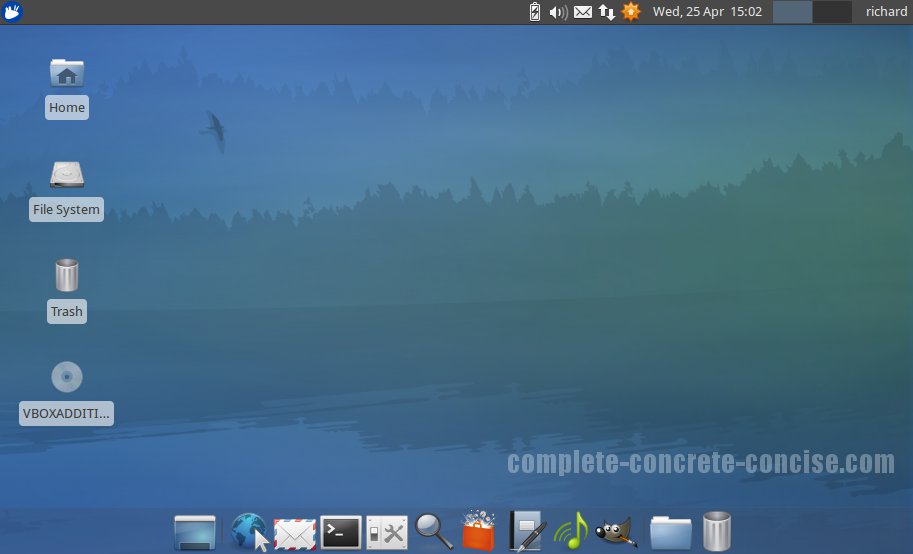
Xubuntu.  Foggy blue.  Supposed to be more responsive with less RAM strain.

Linux Mint.....err, couldn't get it to install after three failed attempts.

Okay, so Ubuntu Unity 12.04 was installed a few weeks ago.  Getting to grips with the installation was the first problem I see for the uninitiated.  I wanted to put Ubuntu on a second drive and so had to opt for 'something else' on the installation.  After a couple of errors on my part, Unity started installing.  Boot times are quicker with Unity over Windows 7 but I encountered some problems straight off the bat.  The screen was always ever so slightly out of sync on the horizontal which started to drive me nuts.  Crashing of browsers was quite frequent, restart didn't work, and trying to configure Unity with my PS3 was a complete and utter ball ache.  It just wouldn't work.  Peripherals installed without a hitch and the interface was decent.  I still found it slightly disconcerting though that button presses seemed unresponsive, like there was always something nagging away in the background that was taking an extra second or two to initiate.

I run an old Athlon X2 4200+ with 3gb Ram and an okay GPU, so I wasn't expecting miracles.  The Unity feel will split the community but I thought it looked pretty decent.  It's a good effort in my book, but once again I found myself with an OS that is near to being usable but which is still a little too inaccessible and too unstable.

Xubuntu 12.04 was my next big white hope.  It is supposed to be lighter on RAM and without the bells and whistles of Unity, Kubuntu and even Mint.  Installation failed once and took the second time.  Not a great start.  Customisation proved relatively easy and within a few steps I was able to change the horrible foggy look to something crisp.  Again though there were initial problems with graphics, boot times weren't great, the login screen time took an eternity, and generally it just felt unstable.  Trying to install a dock at the bottom to get rid of that garish panel proved impossible.  The default web browser launcher couldn't find Chromium of which I had to manually alter.  Because I had not selected 'automatically boot into OS on startup' during installation trying to get the machine to err, boot straight from the login screen proved difficult now, relying on adding bits of code into documents.  Then the annoying keyring thing kept popping up with every browser load.  Aarrghhhh.  There were just a plethora if small things which just ground me down, and eventually I had had enough.

So it was over to Mint.  After three failed installations I gave up.  Now my secondary hard drive is awaiting Windows 8, which I must say, I am really not looking forward too.  As an experiment yesterday I tallied up the amount of times I hit the start button.  To my amazement, it was lots.  I hope the new Metro UI accounts for the type of user I am.

In short then, I want to love Linux and am desperate for the day when Windows has a serious rival on it's hands.  To the Linux initiated they will point to the argument that 'Linux isn't Windows' etc etc.  But, they are missing the point too if that is their stance.  Linux is only ready for the advanced user who is willing to spend huge amounts of time to get things to work, have a knowledge of terminal commands, understand the way files are layered, and are willing to mess about endlessly to get graphics cards, drivers, applications etc to work as they should.  As stated I got on famously with Ubuntu 10.04 before that soon became a bit of a mess, had some limited success with Unity, had a tough time with Xubuntu and just couldn't get Mint to even install.

In my real world, this just won't be tolerated by normal users.  They will get confused, disheartened and just downright scared to touch anything.  I'm no MS fanboy, but at the moment Windows 7 deals efficiently enough with streaming, security, backup, burning, music, games, office applications, peripherals and devices, downloading, browsing, media playing and general use.  It's not perfect but it's stable and sturdy.  I hope one day I can finally go open source and take a Microsoft product off my machine.  But until that day, in my opinion, Linux just doesn't cut it at the moment. 

Thursday, 19 July 2012

Microsoft killing off Start Button in Windows 8

Ascend IT Comment
This will prove very divisive.  To power users who do not want to pin literally dozens of icons on the taskbar and have their desktop cluttered completely with icons and short-cuts, the removal of the traditional Start Button will be a bad decision.  Although I personally have my most commonly used icons pinned, I still use the Start Button frequently for access to those less used programs and to generally access control panel settings together with the My Computer and My Documents/Pictures commands.  To remove this feature will prove irritating to say the least for me personally and to many users.

Article

Why Microsoft killed the Windows Start button

By Barry Collins in Amsterdam
Posted on 28 Jun 2012 at 09:00
Microsoft claims it took the controversial decision to remove the Start button from the traditional Windows desktop because people had stopped using it.
The lack of a Start button on the Windows 8 desktop has been one of the most divisive elements of the new user interface. It had been widely assumed that Microsoft removed the Start button to force people to familiarise themselves with the new Metro Start screen, which is the centrepiece of the Windows 8 overhaul. However, speaking to PC Pro at TechEd in Amsterdam, a senior Microsoft executive told us that the old Start menu had already fallen out of favour with users of Windows 7.
"We’d seen the trend in Windows 7," said Chaitanya Sareen, principal program manager at Microsoft, referring to the telemetry gathered by the Microsoft Customer Experience Improvement Program. "When we evolved the taskbar we saw awesome adoption of pinning [applications] on the taskbar. We are seeing people pin like crazy. And so we saw the Start menu usage dramatically dropping, and that gave us an option. We’re saying 'look, Start menu usage is dropping, what can we do about it? What can we do with the Start menu to revive it, to give it some new identity, give it some new power?'"

"So I’m a desktop user, I pin the browser, Explorer, whatever my apps are. I don’t go the Start menu as often. If you’re going to the Start screen now, we’re going to unlock a whole new set of scenarios, or you can choose not to go there, stay in the desktop, and it’s still fast. You can’t beat the taskbar."

Sareen also claims that people are taking advantage of keyboard shortcuts to open applications, instead of resorting to the Start menu. "Press the Windows key and 1 and you’re already in IE [if IE is the first item pinned to your taskbar]. It’s so fast."

Metro for desktops
Sareen was also quick to dismiss criticism that the Metro interface is better suited to touchscreen devices than laptops and desktops.

Demonstrations during the day had seen two Microsoft presenters struggle to make gesture controls work on laptop trackpads, with the Start screen intermittently failing to scroll when the presenters swiped two fingers across the trackpad, for instance. Sareen insisted that the touchpad drivers were still "very, very early" and were "still being refined".

He also claimed that the Metro interface "really works well with the mouse and keyboard", highlighting features such as the option to search for applications simply by starting to type its name on the Metro Start screen.


Read more: Why Microsoft killed the Windows Start button | Enterprise | News | PC Pro http://www.pcpro.co.uk/news/enterprise/375550/why-microsoft-killed-the-windows-start-button#ixzz214EalZes